Mottle controls at a glance
| Action | Desktop | Touch |
|---|---|---|
| Start | Click Tap to play inside the board | Tap Tap to play inside the board |
| Move | Drag, or hold WASD / arrow keys | Press and drag one finger |
| Stop | Release the mouse or movement keys | Lift your finger |
| Mute or pause | Use Mute or Pause inside the game | |
| Restart | Use Quit in the pause panel or Reload game above the board | |
Start with one input method. Move a short distance, release, and look at Camo in the HUD. If the character stops and the bar begins filling, your inputs reached the game. It is easiest to check this before you start trying to dodge a Seeker.
Desktop keyboard and mouse controls
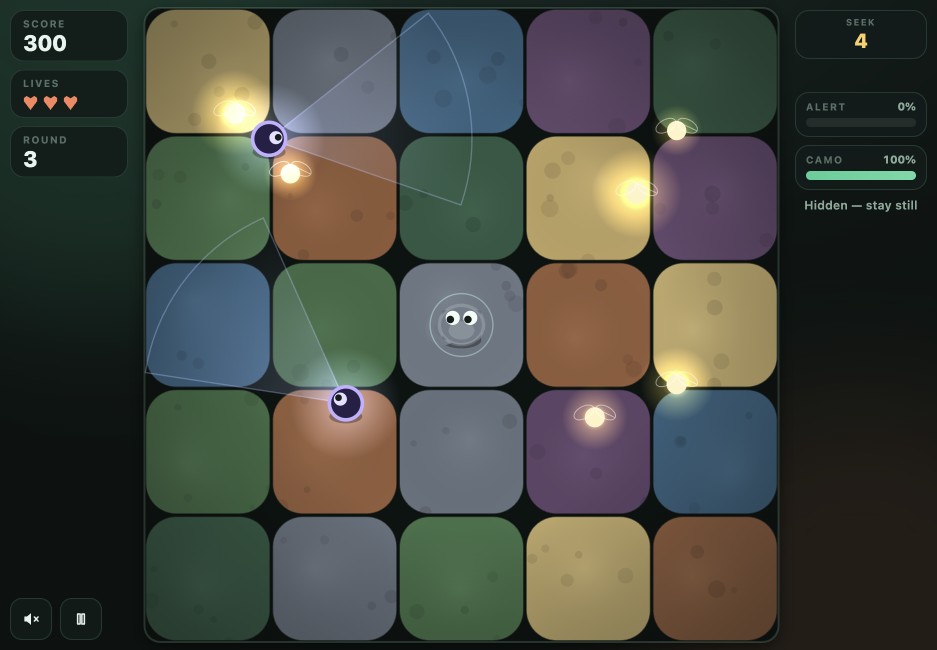
W / ↑ moves up, A / ← left, S / ↓ down, and D / → right. Hold a key to keep going in that direction. Release all movement keys to stop. If you prefer a mouse or trackpad, press the primary button over the playing field and drag toward a nearby tile, then let go.
If an arrow key moves the webpage, start by clicking inside the game. If the keys still do nothing, click the game's Mute control once, then choose Unmute to restore sound if you want it. That gave the embedded frame focus in desktop Chrome. Clicking the website navigation or toolbar can move focus back to the page, so test the game again after using those controls.
On November 19 we checked Left Arrow and S in an active round on this site. Camo read 0% while each key was held and returned to 100% after release. If the character moves but you cannot hide, check whether another direction key or the mouse button is still held.
Phone and tablet touch controls
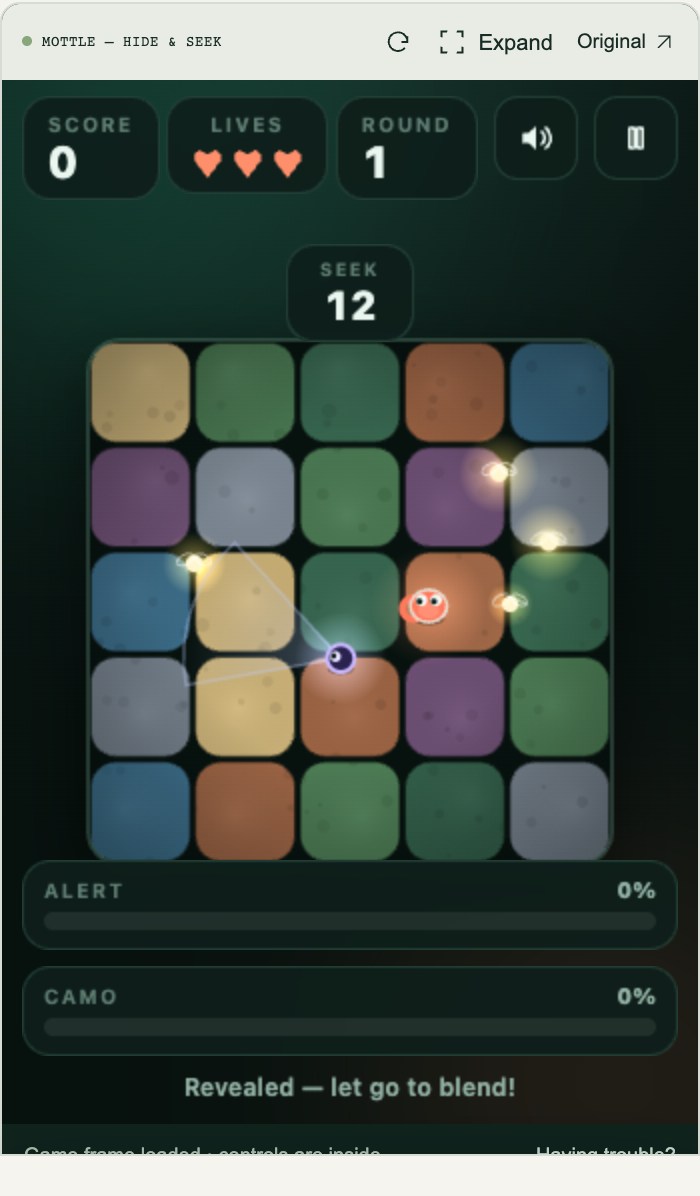
Touch the board with one finger and drag it toward the next tile. Lift completely when you want to stop. Keeping a finger on the glass can leave the gesture active, so use a clear lift at the end of every move. Start your drag on the board. Swipe on the surrounding page when you want to scroll the guide.
If your thumb covers the next tile, use Expand on the toolbar above the game. Use the visible Close button to return. We verified Expand and Close in Chrome touch emulation without restarting the round. The phone walkthrough shows two captures from the same round and explains the portrait and landscape checks.
Pause, sound, and restart
Use the game’s Mute and Unmute buttons to change its audio. The light and dark theme toggle on this website changes the display. If the game stays quiet after Unmute, check your browser tab and device volume before reloading the game.
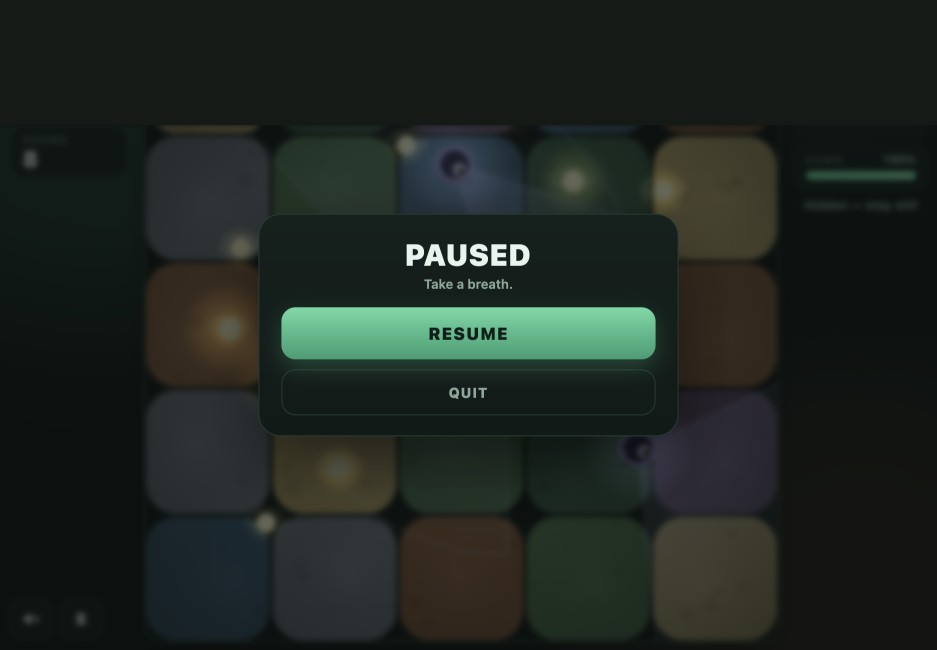
Choose Pause inside the game for its pause panel. In our Chrome checks, Resume left the panel open and the countdown frozen. In the desktop checks, Escape and P also failed to resume. If you see that state, choose Quit and start again from Tap to play. If Quit fails to return to the title, use the circular Reload game button on our toolbar. Both paths discard the current run. The Resume test log shows what we checked on the embed and on the original desktop player.
Where these controls were checked
Keyboard, mouse, pause and sound notes come from the original game embedded on this site in desktop Chrome. Touch evidence comes from Chrome touch emulation. For the game’s release and creator credit, see the original 8x.gg listing. If you see a different control or label, tell us which browser and device you used.
Frequently asked questions
Does Mottle support WASD and arrow keys?
Yes. In the embedded desktop game, hold W or Up, A or Left, S or Down, and D or Right to move. Let go to stop. If the page scrolls instead, give the game frame keyboard focus first.
How do I stop moving and camouflage?
Release the mouse button, lift your finger, or release all movement keys. Once you stop steering, Camo builds while the round continues.
How do I mute or restart Mottle?
Use Mute inside the board to turn off the game audio. To restart, choose Quit on the pause panel or Reload game above the board. Both restart options end the current run.
Will Expand restart my game?
Expand and Close switch the view of the same embedded game. In our touch-emulation test the round carried on. Reload game is the control that loads a fresh session.