Start a free round in your browser
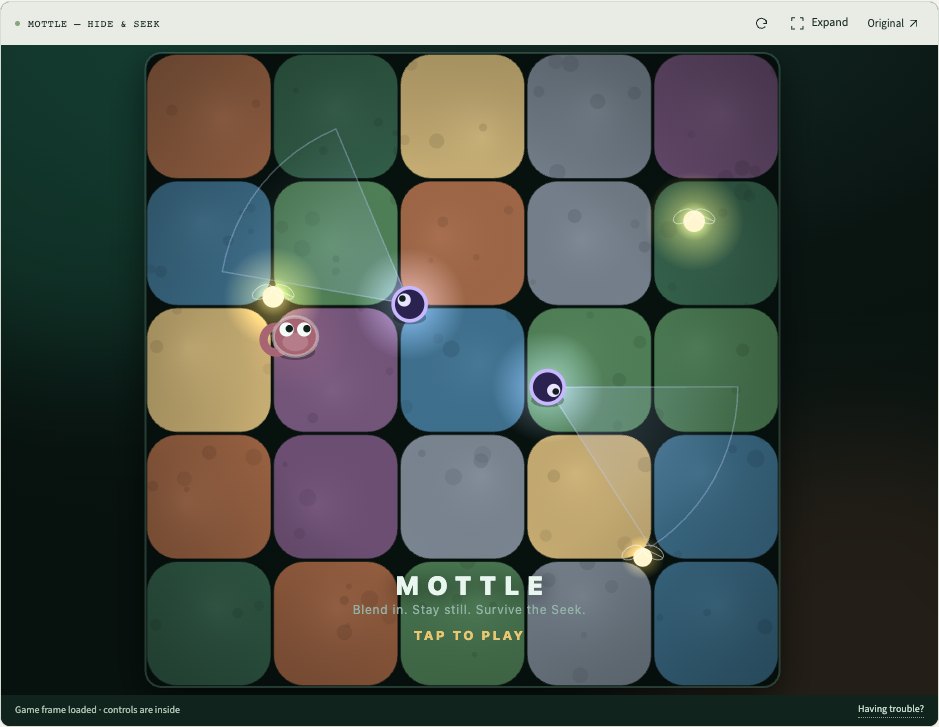
- Open the game. Select Play Mottle online to go to the embedded board on this site. Once the art appears, look for Tap to play near the bottom of the board.
- Click or tap inside the board. The title screen moves into Round 1. You should see the score, hearts and the opening Hide countdown. Seeing the title or artwork alone means the board has loaded and is waiting for input.
- Try one short move. Drag with your mouse or one finger. Release when you want the character to stop and change color. When you’re ready to survive the first round, use the Hide and Seek walkthrough.
What “unblocked” means for Mottle
Mottle — Hide & Seek is a free game by Star Lord on 8x.gg. The browser edition runs online and needs a connection to the game host. You can start it on this website without an installer, a browser extension, an APK or an account here. The original 8x.gg listing is also free and has its own way to open the player full screen.
On a school, work or other managed network, two different addresses are involved: this guide and the host that serves the board. A network can allow the guide while restricting the board. A browser-play link does not guarantee that the game will open on those networks. If you see a block notice or policy message, follow the network’s rules and ask its administrator about access.
If you reached this page from a search for a download, choose the browser player. It opens in the same browser you use to read this guide, and a new round begins from the game’s title screen. On a smaller screen, Expand enlarges the board on this site. Close brings you back to the page. For how to steer after it opens, see desktop and touch controls.
If the browser player won’t open
The board is visible with Tap to play
The game is waiting for a click or tap inside the board. Use that gesture once. If a tap outside the game did nothing, tap directly over the playing field rather than the page heading or the toolbar above it.
The frame loaded message appears, but the board is blank
The status reports that a frame finished loading. The game still needs its own assets and scripts to start. Wait briefly, then try Reload game, the circular arrow above the board, once. Reload opens the game again and discards any active round. When the title returns, click or tap it to start.
The page opens but you cannot see the whole board
Scroll to the board using the page outside it. Start a round once the board is in view. If your browser is zoomed in, reset its zoom so the board and the controls fit on screen. If you can see the board but can’t steer, try a mouse or touch drag inside it and check the keyboard focus steps on the controls page.
The game still fails after reload
Open the original 8x.gg listing using the Original link on the toolbar or the link here. If the original opens and the embed does not, play on the creator’s page and report the embed problem. If neither opens, the cause could be the connection, browser settings, the upstream host or a restriction on that network. A visible block message is a reason to check the network’s rules.
Round 1 started, but the pause screen never closes
The game has already loaded. In our Chrome checks, choosing Resume could leave the timer frozen. See the tested Quit and Reload steps for starting a new round from that state.
Original game and play check
We loaded this site’s player in desktop Chrome on November 19, 2026, dismissed the optional analytics prompt, and started Round 1 with a click inside the game. We also have a separate phone guide based on Chrome touch emulation. Network policies and browser settings vary, so check the player on the connection you plan to use.
Frequently asked questions
Can I play Mottle unblocked in a browser?
Yes, you can play the free browser game without installing anything if your network can reach its host. Access on a school or work network depends on that network’s rules.
Do I need an APK, extension, or account?
You can start a round in the embedded browser player without installing an APK, extension or app, and without creating an account on this site.
Why does Mottle say Tap to play?
That is the game’s title screen. Tap or click inside the board to begin. Once the game starts you will see the round HUD and the opening Hide countdown.
Where is the original Mottle game?
Star Lord’s original Mottle — Hide & Seek listing is on 8x.gg. It offers a free browser build and a link to open the game full screen.